
Home › Courses › Excel Certification
Professional Certification

Basic to Advance
Excel Course

Master spreadsheets from the fundamental interface up to 52 advanced formulas. Enroll in our specialized 2-month certification program designed for complete mastery.
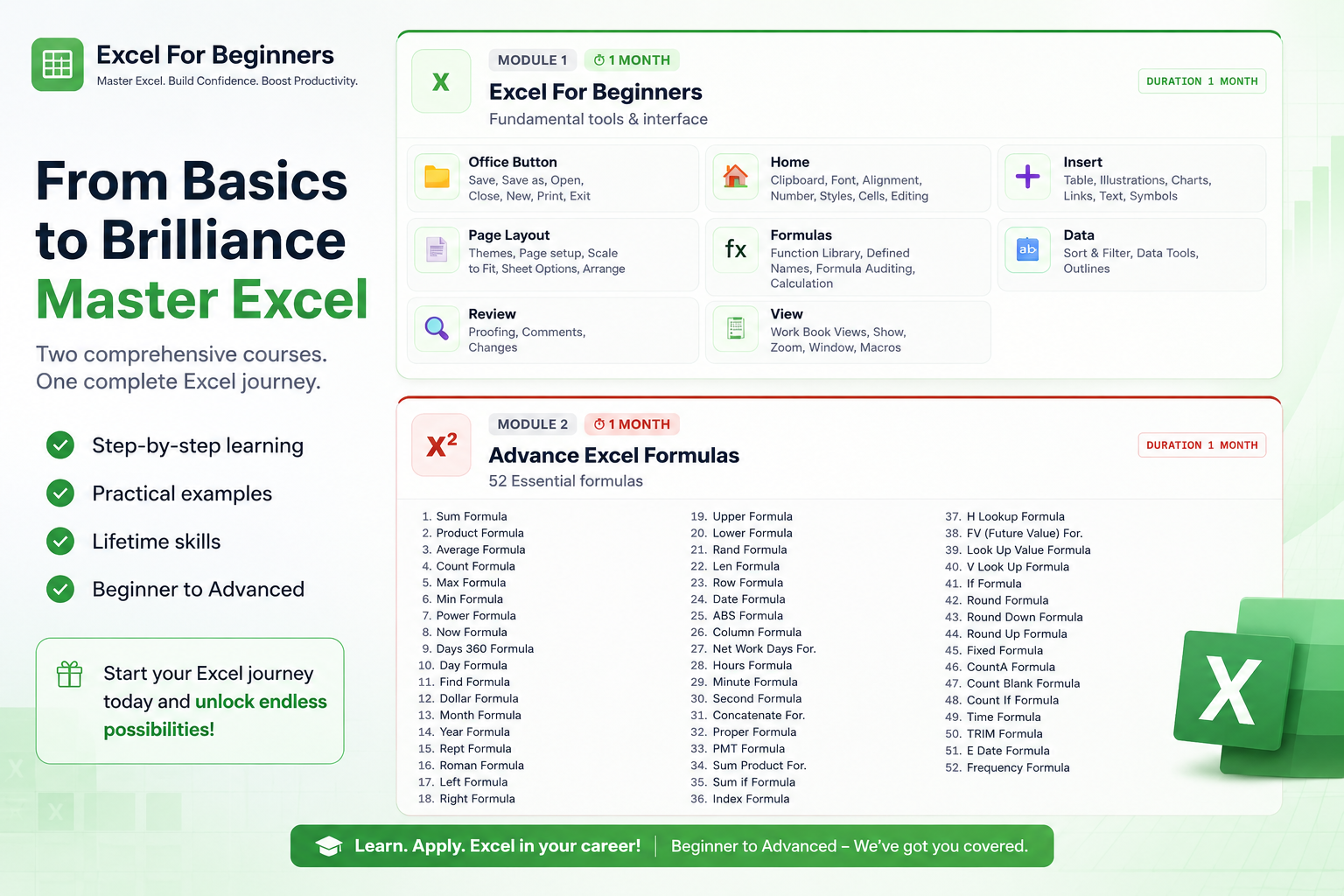

Excel For Beginners Advance Excel Formulas
Excel Certification
Training
100% Practical Training
📊
52 Formulas Included
⏱
2 MonthsTotal Duration
🎓
ISO CertifiedValid Certificate
💻
100% PracticalHands-on labs

Certification Syllabus

Divided perfectly into two comprehensive modules covering the entire spectrum of Microsoft Excel.

X
Module 1 ⏱ 1 Month
Excel For Beginners
Fundamental tools & interface
Excel For Beginners Duration 1 Month
📁
Office Button Save, Save as, Open, Close, New, Print, Exit
🏠
Home Clipboard, Font, Alignment, Number, Styles, Cells, Editing
➕
Insert Table, Illustrations, Charts, Links, Text, Symbols
📄
Page Layout Themes, Page setup, Scale to Fit, Sheet Options, Arrange
fx
Formulas Function Library, Defined Names, Formula Auditing, Calculation
🔤
Data Sort & Filter, Data Tools, Outlines
🔍
Review Proofing, Comments, Changes
🖥
View Work Book Views, Show, Zoom, Window, Macros
X²
Module 2 ⏱ 1 Month
Advance Excel Formulas
52 Essential formulas
Advance Excel Formulas Duration 1 Month
  1. Sum Formula
  2. Product Formula
  3. Average Formula
  4. Count Formula
  5. Max Formula
  6. Min Formula
  7. Power Formula
  8. Now Formula
  9. Days 360 Formula
  10. Day Formula
  11. Find Formula
  12. Dollar Formula
  13. Month Formula
  14. Year Formula
  15. Rept Formula
  16. Roman Formula
  17. Left Formula
  18. Right Formula
  1. Upper Formula
  2. Lower Formula
  3. Rand Formula
  4. Len Formula
  5. Row Formula
  6. Date Formula
  7. ABS Formula
  8. Column Formula
  9. Net Work Days For.
  10. Hours Formula
  11. Minute Formula
  12. Second Formula
  13. Concatenate For.
  14. Proper Formula
  15. PMT Formula
  16. Sum Product For.
  17. Sum if Formula
  18. Index Formula
  1. H Lookup Formula
  2. FV (Future Value) For.
  3. Look Up Value Formula
  4. V Look Up Formula
  5. If Formula
  6. Round Formula
  7. Round Down Formula
  8. Round Up Formula
  9. Fixed Formula
  10. CountA Formula
  11. Count Blank Formula
  12. Count If Formula
  13. Time Formula
  14. TRIM Formula
  15. E Date Formula
  16. Frequency Formula

Why Learn MS Office at Softcom Computer Institute, Kota?

Softcom's MS Office Complete Course covers all eight major Office applications in one comprehensive programme. From creating professional Word documents and building Excel dashboards to designing PowerPoint presentations and automating tasks with VBA, every module is taught with hands-on practice on the actual software.

What sets Softcom apart is our practical-first approach. Students work on real assignments — invoices in Word, MIS reports in Excel, quarterly presentations in PowerPoint — so they arrive at work already productive, not just certificate-holders.

Hands-On Every Class
Every session is conducted in our modern computer lab. One system per student, updated software, real-world assignments.
All 8 Office Apps
Word, Excel, PowerPoint, Outlook, Access, Advanced Excel and VBA — all covered in one course.
Advanced Excel Included
Dedicated Advanced Excel module with VLOOKUP, Power Query, PivotTables and professional dashboard creation.
ISO 9001:2015 Certified
Our teaching quality and student outcomes are certified to the international ISO 9001:2015 quality standard.
100% Placement Support
Dedicated placement assistance including resume preparation and employer referrals for all course graduates.
Flexible Batch Timings
Morning, afternoon and evening batches available Monday to Saturday. New batches start every month.